Pit Wall
Reads the same live iRacing telemetry as the other ATLAS bridges, then puts an AI race engineer on top of it: Claude reviews every completed lap and stint, a deterministic spotter calls flags and gaps, and a setup coach that only speaks up once it's sure.
In depth: how the pieces actually fit
This is the real internal shape - a simplified, marketing-level summary of it follows further down the page. The bridge has its own control plane - a web UI separate from Pit Wall's own, for starting and stopping streaming and picking a channel preset. From there, iRacing's shared memory has four separate, independent readers running at once - the bridge engine, the live channel probe, the session identity reader, and the embedded fuel engine's own copy - each a read-only mmap, safe to coexist. The coordinator is the actual hub: it owns lap and stint windowing, keeps a SQLite history keyed by track and car, and is what calls Claude - never the other way round. Car Coach and Race Engineer sit entirely outside that AI path, fed straight from the live channel probe, so a network hiccup or a slow model response can never delay a spotter call.
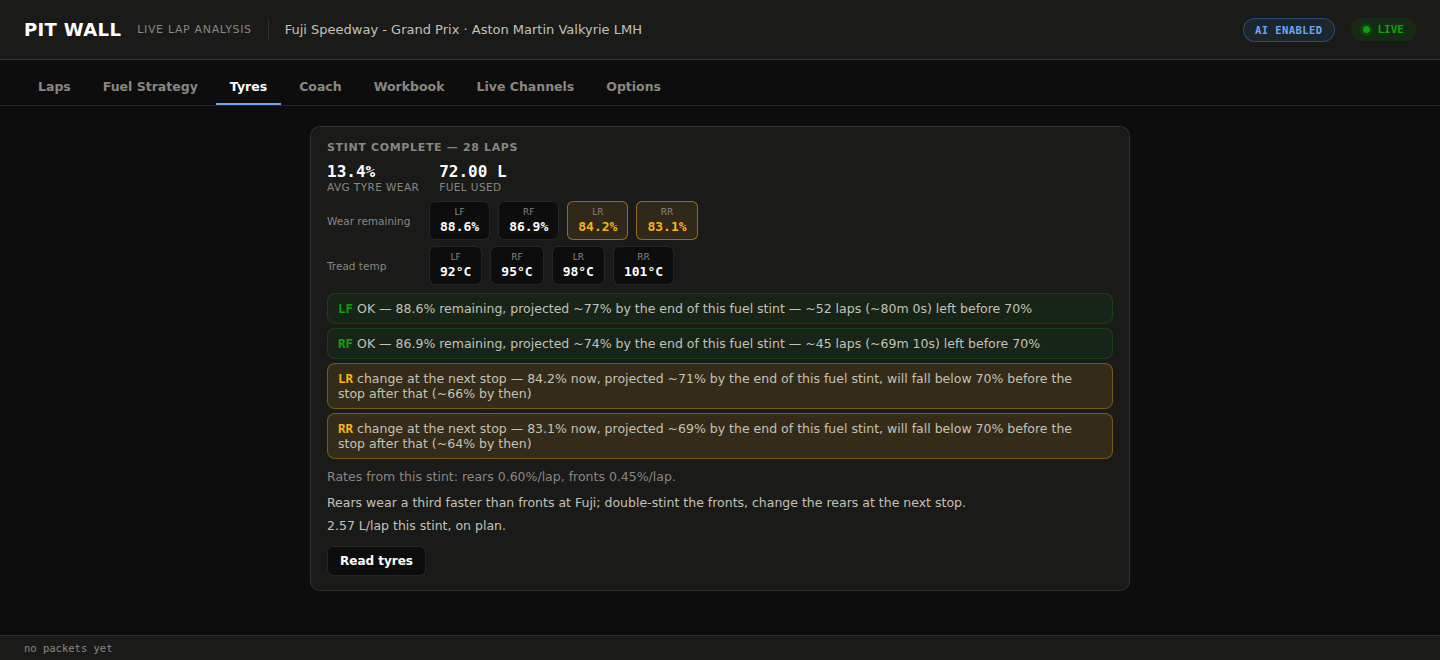
The wear projection alone runs three separate horizons per corner - already below the change threshold, where it'll be by the next stop, and whether it survives the stop after that - falling back from this stint's own measured rate to this track-and-car's history when there isn't yet a live one.
The problem it solves
The other bridges on this page get telemetry in front of ATLAS - they don't tell you what it means. A small endurance team doesn't have a spare human race engineer watching every trace live, so most of what a professional team gets for free - someone saying "you're losing time at Turn 3 under braking, corner in earlier" - never happens in a sim team unless someone reviews replays after the fact. Pit Wall runs that review live: as each lap crosses the line, Claude gets the raw telemetry, compared against the driver's own best lap, and decides what's actually worth flagging, the way a real engineer would rather than a fixed checklist of thresholds. A separate deterministic layer handles everything that doesn't need judgment at all - spotter calls, flags, gaps to class rivals, and car setup reminders - so the app never has to wait on an API call to warn about a car alongside.
What's involved
Claude looks at the raw, downsampled telemetry for the lap just completed, compared against the driver's own best lap, and returns specific findings with a severity and a corner label - or an empty list if nothing's actually worth saying, rather than manufacturing commentary to fill the silence.
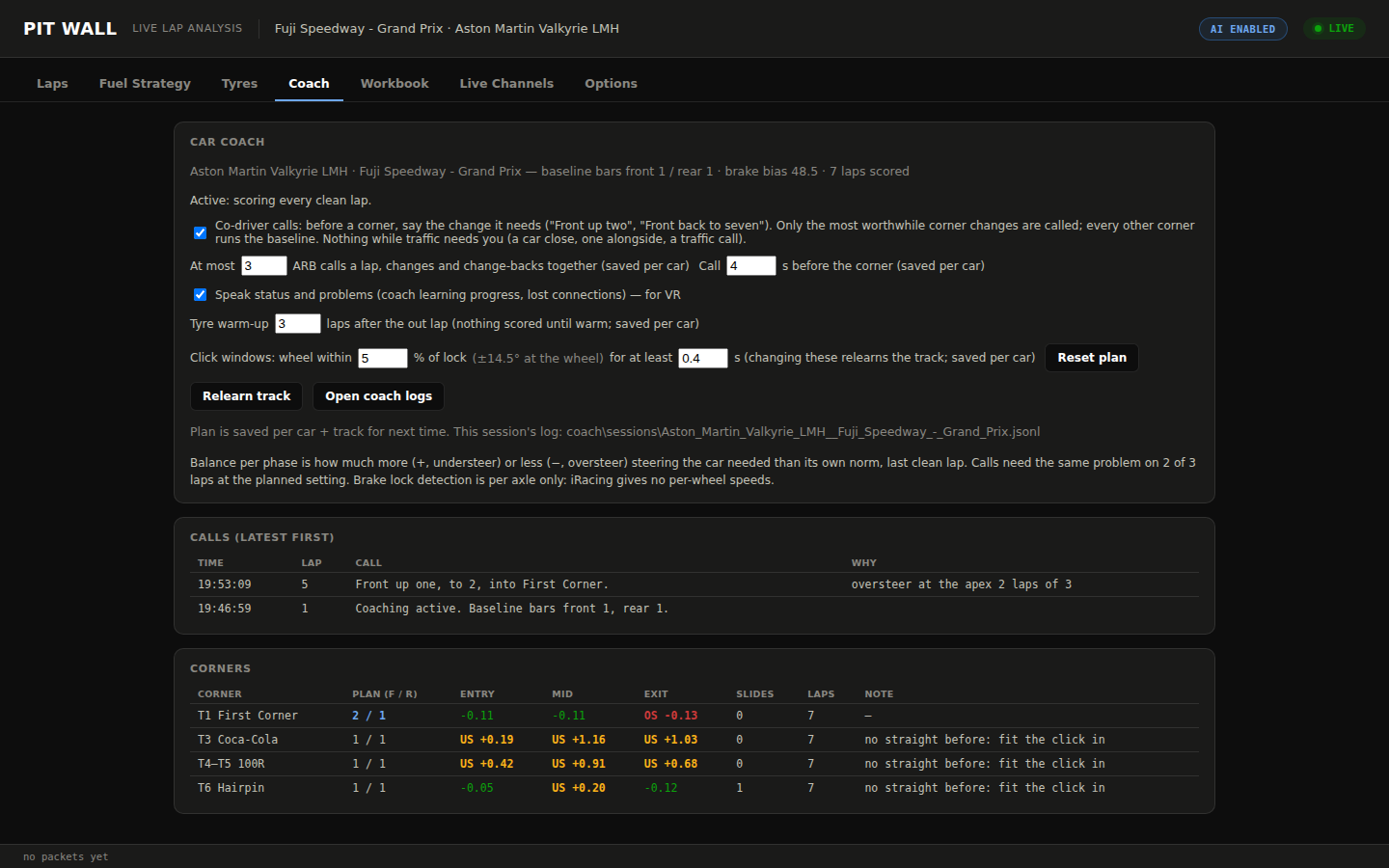
The car coach learns the track's corners and the car's own neutral steering response purely from telemetry, then only calls out an ARB or brake-bias change once the same problem shows up on 2 of the last 3 clean laps run at the current setting - and checks the driver actually made the change before scoring the next one.
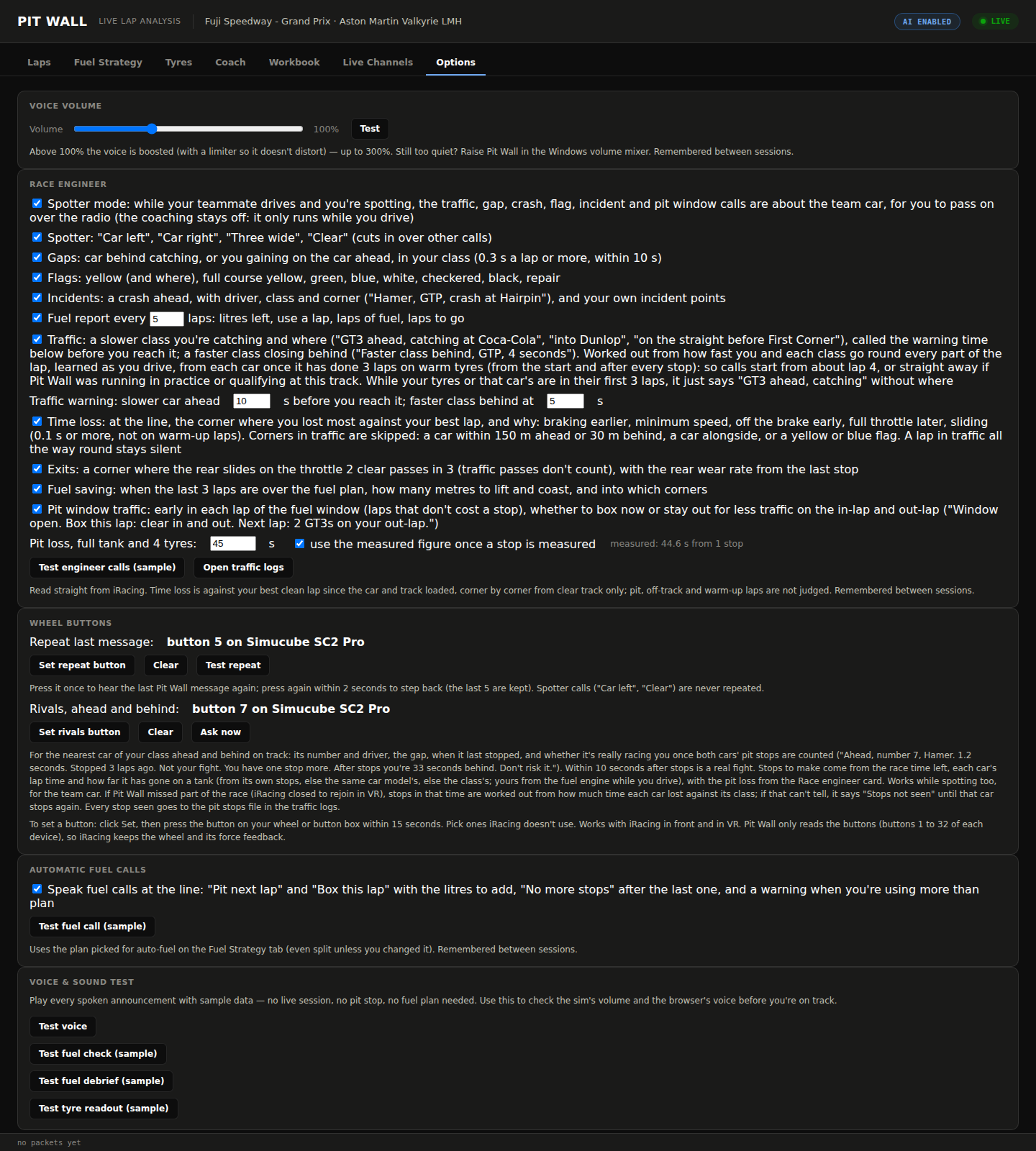
A Crew-Chief-style layer gives spotter, gap, flag and incident calls straight from iRacing's live channels at 20Hz - no model call in that loop, so there's never network latency between a car alongside and the warning.
Pit Wall's fuel and pit-loss logic started as a direct copy of the Fuel Strategy App's own modules - the real exclusion-rules and pit-phase logic, not a reimplementation - and still carries that app's 160-test suite with it. Since October 2026 it's developed here as Pit Wall's own copy, so the two no longer track each other automatically.
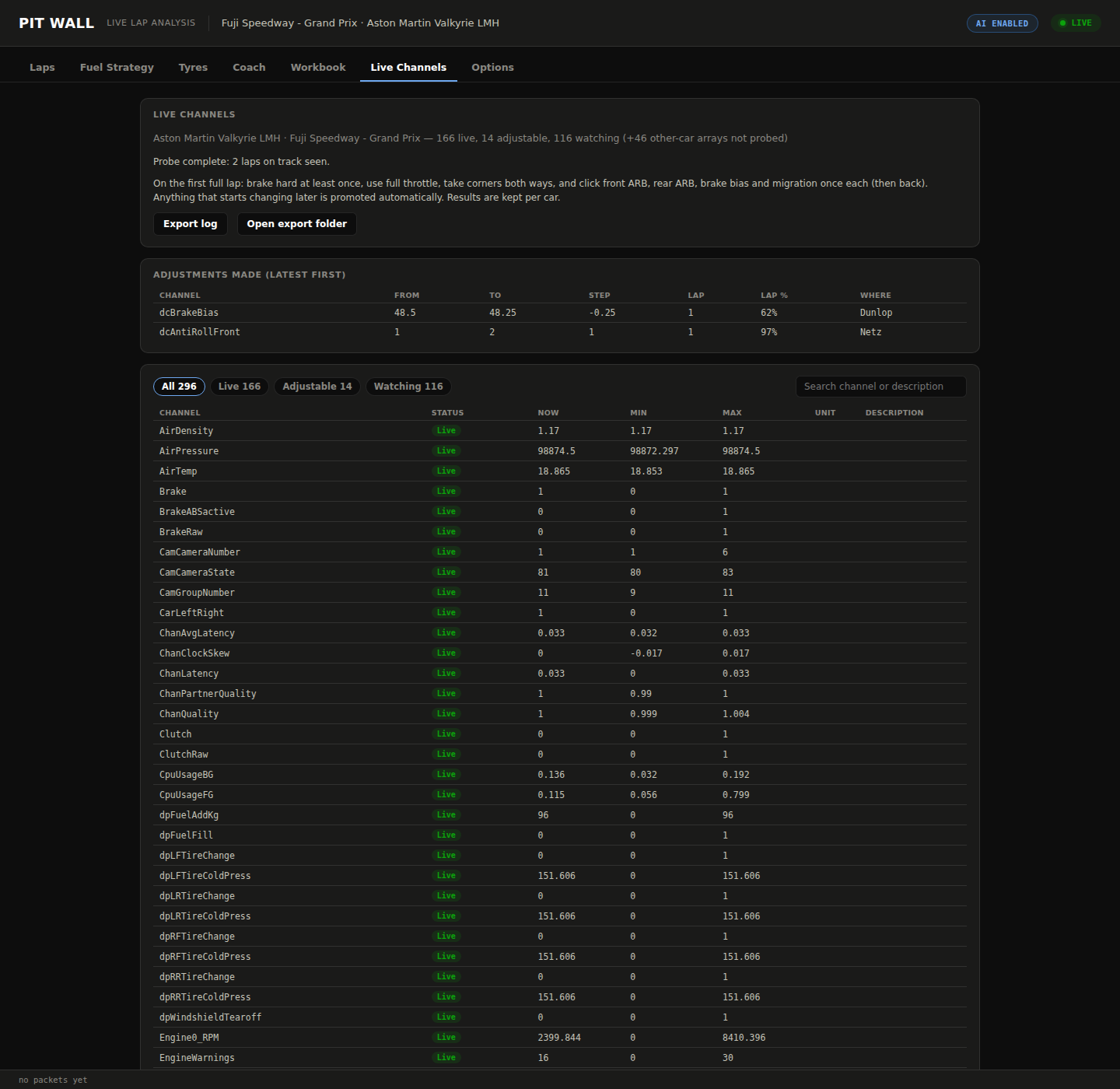
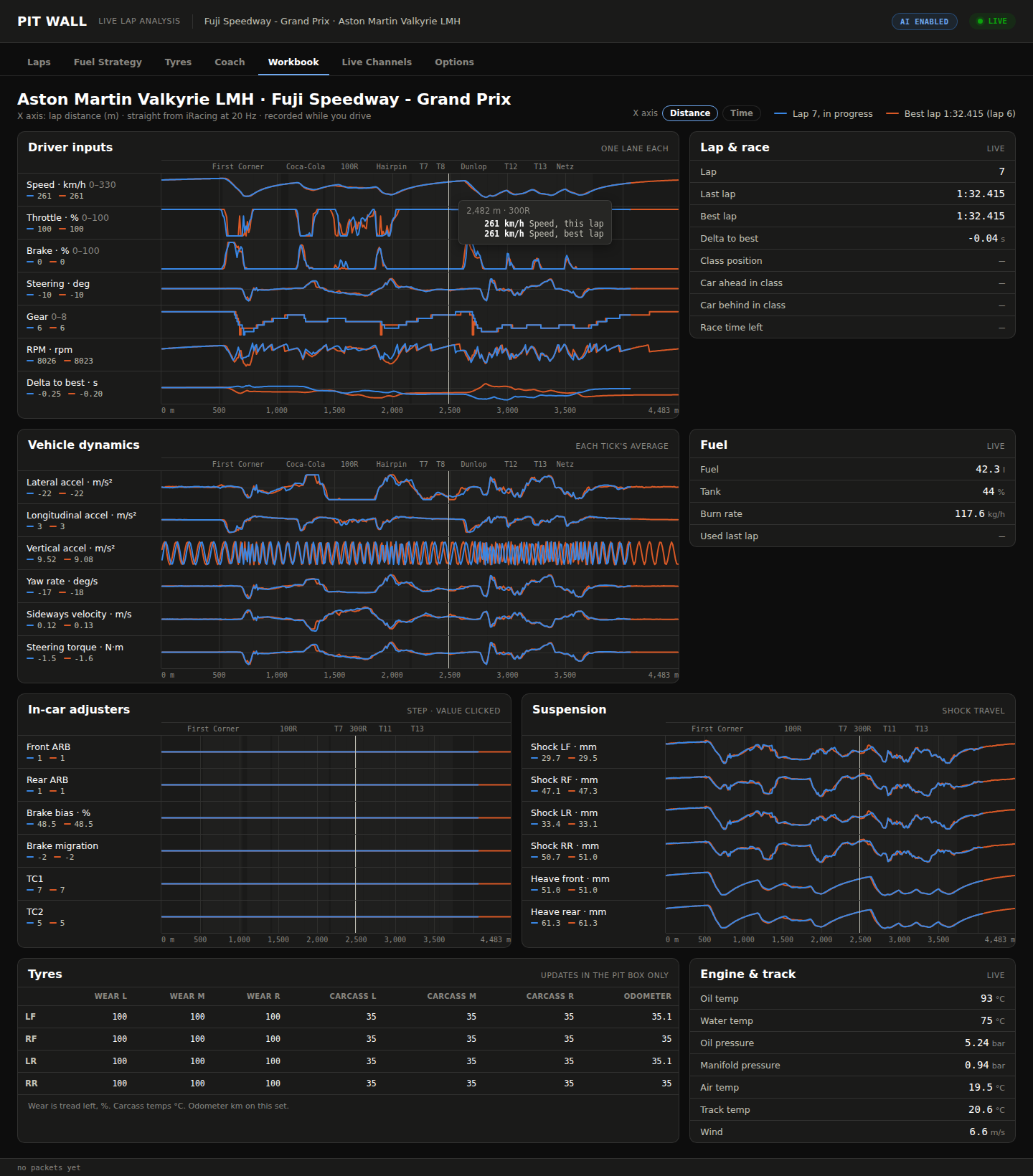
The bridge's default preset is discovered, not hand-picked: whatever the loaded car actually reports at connect time - roughly 300 channels, in-car adjusters included. Sub-sample tyre and suspension traces go in as their own 60Hz-times-count parameter rather than getting averaged away, and the per-car arrays become the player's own slot plus a computed car-ahead / car-behind in class.
Docker, Kafka, the Stream API and ATLAS can all move to a second machine on the same network, leaving the sim rig to run only iRacing, the bridge and Pit Wall. Pit Wall's own calls, fuel, coaching and Workbook read iRacing directly, so they keep working even if that second PC drops off - only the Laps tab's AI review needs it.
Inside the app
Real sessions, not mockups - screenshots pulled straight from a live run.
Why it's worth trusting
Every Claude call degrades to nothing rather than to noise: a lap or stint analysis that fails - a bad response, a timeout, malformed JSON - returns an empty result and gets logged, never a fabricated finding shown to the driver mid-race. The setup coach is keyed the same way: a car only gets calls if its controls are explicitly profiled, so an unfamiliar car gets silence instead of a wrong-direction guess. The fuel engine carries the same trust by a different route: it began as a direct copy of the Fuel Strategy App's own modules, not a rewrite, and still runs with that app's 160-test suite behind it - even though it's now developed as Pit Wall's own fork rather than staying in lockstep with the original.