Office Lights
A local desktop app for controlling Philips Hue lights and Tapo cameras around the rig - no cloud account, no browser tab, everything stays on the LAN.
The problem it solves
Philips Hue and Tapo both push you toward their own phone apps and cloud accounts for
something that's really a local-network problem - dim the rig lights, check a camera, without
reaching for a phone mid-session. This app talks straight to the Hue Bridge's local CLIP v2
API and to Tapo cameras' RTSP streams directly over the LAN, and runs as its own window (via
pywebview) rather than a browser tab, so it feels like a real installed app - it
even builds down to a single OfficeLights.exe with a Start Menu entry.
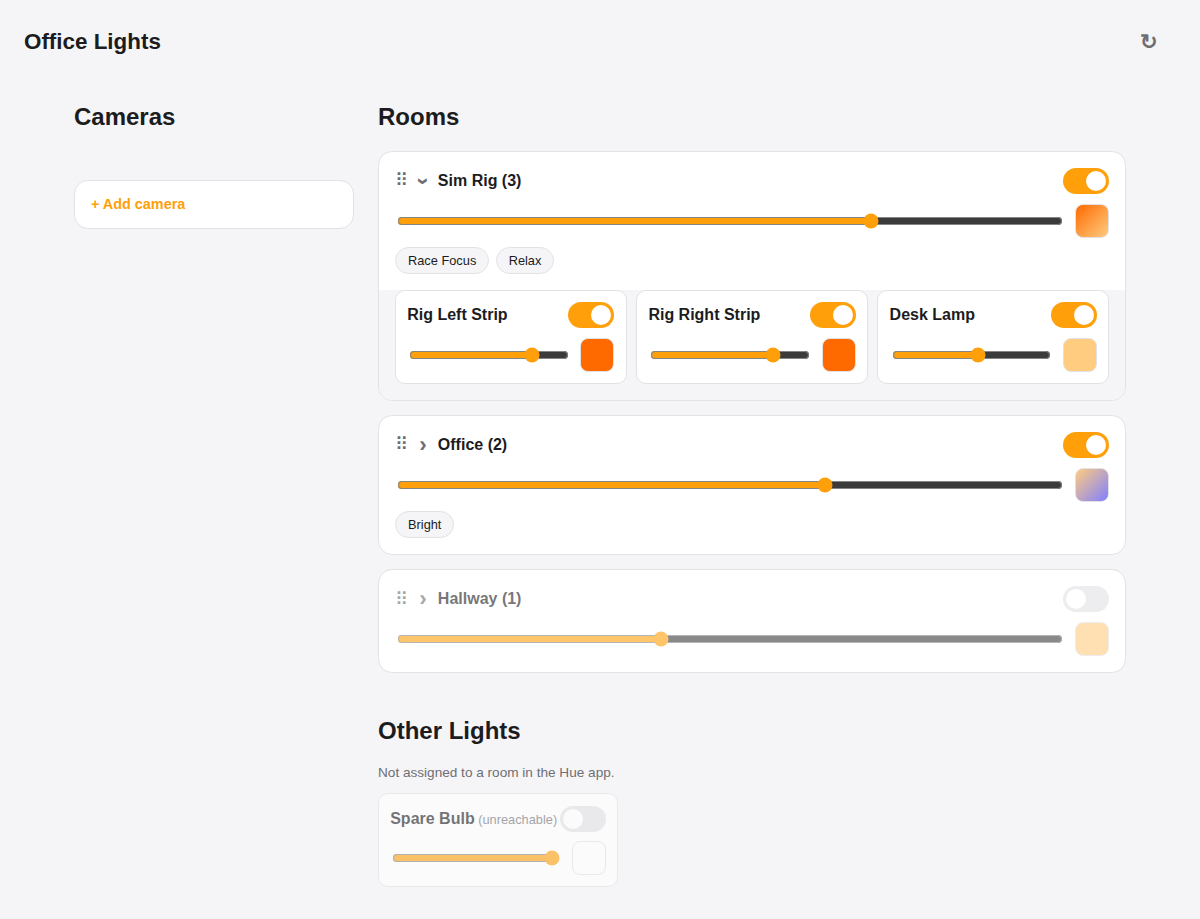
Rooms expand to show individual bulbs; brightness and colour on both the room and each light underneath it.
What's involved
Every room from the Hue app gets its own on/off, brightness and colour that affect every light in it at once - click through to control individual bulbs the same way. Lights not assigned to any room show up under "Other Lights" instead of disappearing.
Scenes defined in the Hue app appear as one-click chips on their room. Recalling one lets the bridge set every light at once, then the dashboard re-reads real state afterwards rather than trying to predict the result client-side.
Rooms can be dragged into whatever order makes sense at the rig; the order is saved to a local config file so it survives restarts and even a rebuild of the app.
A panel of Tapo camera stills, refreshed every ~2 seconds via a local ffmpeg
frame grab over RTSP - deliberately not full video, to keep the implementation to one
frame-grab per refresh. Requires a mains-powered Tapo model; battery/solar models don't
expose RTSP at all.
Why it's worth trusting
First-time setup is a real pairing flow against the physical bridge button, not a pasted API key - and once paired, the app never touches TP-Link's or Philips' cloud again. The bridge's self-signed TLS certificate is handled the way local Hue integrations are meant to: verification is skipped for that one local connection specifically, not disabled globally. It's also built to run headless on the second rig's TV - the same dashboard is served over the LAN so a second PC can just open a browser to it, full-screened, with cameras included.